The commerce console: Turning complexity into confident growth
For B2B e-commerce managers, the biggest hurdle often isn’t a lack of data, it’s decision overload. You’re likely navigating endless reports and scattered spreadhseets, trying to figure out exactly where to focus next.
Imagine having a tool that cuts through that noise immediately. Instead of making you dig for answers, what if your platform interpreted buyer activity for you? What if it used intelligent guidance to highlight the precise moments that require your attention?
That is the power of the Commerce Console.
Built directly into Sana Admin, the Commerce Console is a new workspace designed to give you the clarity you need to drive digital growth and strengthen buyer relationships.
The problem: Drowning in data, seeking actionable guidance
The problem: Drowning in data, seeking actionable guidance
Many manufacturers struggle with scattered information. Data sits in silos: some in the ERP, some in the web store, and some with external tools. This makes it close to impossible to see the full picture.
Without a single source of truth, it is difficult to:

You don’t know which changes will actually drive growth.

You can’t easily attribute better sales numbers with changes on your web store.

You lack visibility on the true ROI of your e-commerce platform.
Your new command center
The Commerce Console is more than just a dashboard; it is a workspace for continuous improvement. It connects your online and offline performance data in one view, revealing how digital interactions translate into total business growth.
Here’s how it empowers you to make confident decisions:
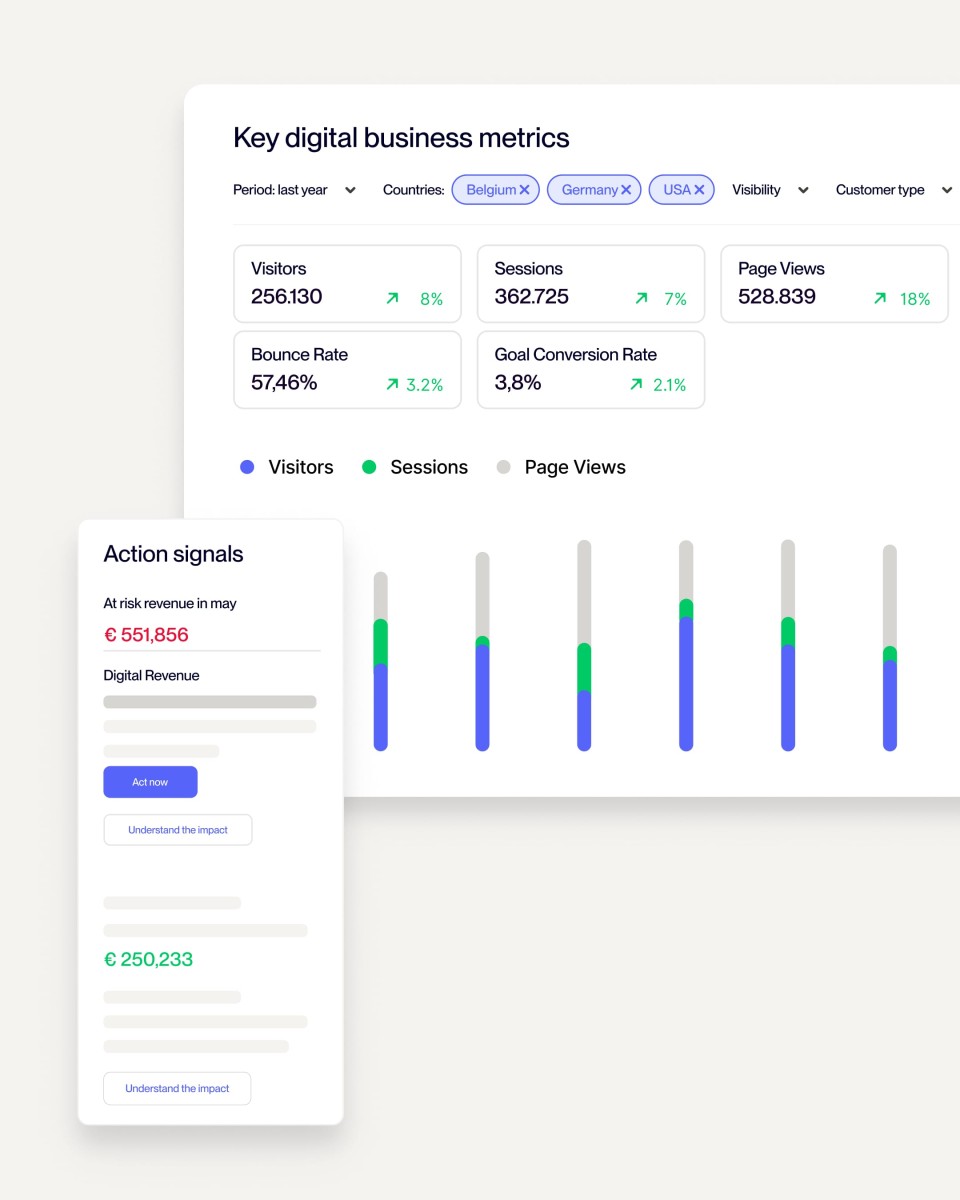
1. See the full picture (Performance Widget)
Stop toggling between systems. The Performance Widget gives you a unified view of core growth metrics, including revenue, digital share, average order value (AOV), adoption, and repeat orders.
- Connect the dots: See how your e-commerce channel contributes to your overall business health.
- Track progress: Monitor your performance against business goals and compare results across different stores, segments, or countries.
2. Cut through the noise (Action Signals)
When a decision feels overwhelming, the Action Signals widget acts as your guide. It interprets buyer activity and performance trends to highlight exactly where your attention is needed most.
- Contextual insights: It doesn’t tell you what is happening; it explains why it matters and how to act.
- Focus on impact: Identify opportunities and risks instantly, allowing you to safeguard revenue and capitalize on growth moments.
3. Drive meaningful growth
By bridging the gap between data and action, the Commerce Console helps you build a stronger, more reliable digital channel.
- For the seller: You can identify where to accelerate results and confidently shape your digital strategy without getting lost in administrative work.
- For the buyer: Your customers benefit from a more stable, responsive online experience that evolves to meet their needs.
4. From insight to action
The vision behind the Commerce Console is simple: to transform the E-Commerce Manager from an admin navigator into a growth driver.
Instead of spending your day gathering data, you can spend it acting on it. Whether it is identifying customers who haven’t ordered recently, or spotting a product category with low digital share, the Console gives you the “intelligent guidance” to move forward with confidence.
How to configure the Commerce Console
Because the Commerce Console is built directly into Sana Admin, you don’t need to install new plugins or wait for a connector upgrade.
Open Sana Admin
Navigate to your new dashboard.
Approve Data Usage
To ensure transparency, simply approve the usage of your data to unlock the Console’s insights.
Act
Start using the widgets immediately to guide your daily decisions.
It also supports role-based access, ensuring that Store Admins and E-commerce Managers see the specific insights relevant to their work.
Ready to turn your data into growth?
Ready to turn your data into growth?
The Commerce Console is launching soon in Sana Admin.