Buyer widgets: How Sana Commerce Cloud builds financial transparency and trust
For B2B buyers, few things are frustrating as flying blind.
They want to place an order, but they aren't sure of their available credit. They need to reconcile their books, but they have to call your support team to get a copy of an open invoice. They are waiting on a refund, but have no idea if it has been processed.
It’s time to hand over the keys.
We are excited to introduce Buyer Widgets, a new set of tools designed to give your buyers the control they need to self-service confidently.
The problem: The control gap
The problem: The control gap
Currently, many B2B web stores offer limited dashboards. Buyers might see their order history, but they lack a clear, real-time view of their financial standing.
This lack of control gap creates friction:

Buyers are stuck waiting on your customer service team for routine financial questions.

A lack of clarity on credit limits or refunds can cause buyers to hesitate or delay orders.

When interactions are difficult and dependent on others, it is harder to build the trust necessary for long-term growth.
Your buyers’ new financial control center
Buyer Widgets extends your account overview, so that financial clarity puts the buyer in the driver’s seat. By bringing key account details directly to the dashboard, you empower buyers to manage their business on their own terms.
Here is how these widgets put buyers in control:
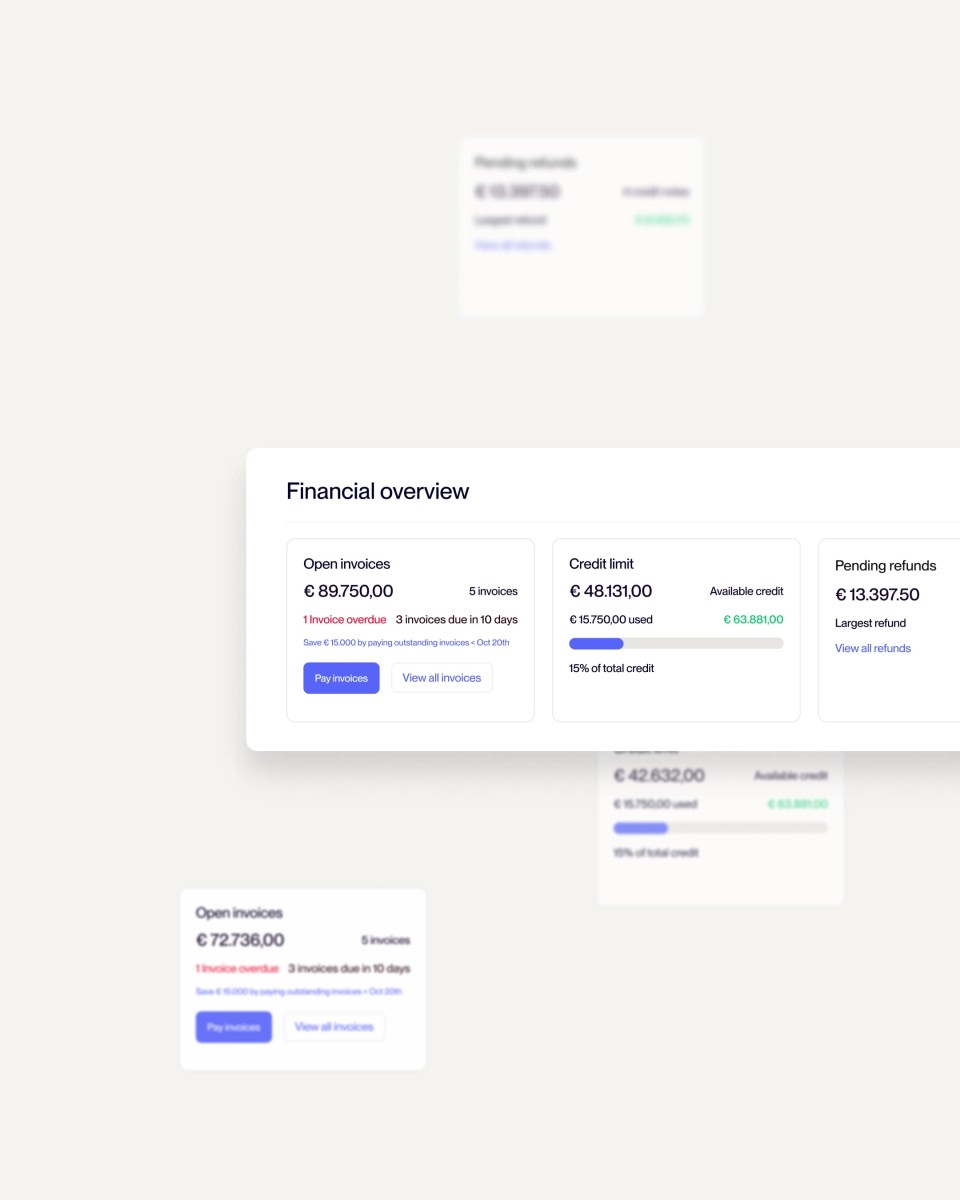
1. Immediate Financial Clarity (The Widgets)
Give buyers a real-time snapshot of their financial health without them ever needing to pick up the phone.
- Credit Limit: Buyers can track their spending power in real time, avoiding unexpected order blocks.
- Open Invoices: A centralized view of all outstanding payments allows buyers to take charge of their cash flow and settle balances faster.
- Pending Refunds: Remove the uncertainty of returns by letting buyers track the status of their reimbursements instantly.
2. Seamless Self-Service
True control means not having to ask for permission or updates. By providing these tools, you allow buyers to manage their own accounts independently.
- Reduce friction: Buyers get the answers they need, when they need them.
- Unburden your team: With fewer routine inquiries about invoices and credit, your sales and support teams can focus on higher-value conversations.
3. Build Trust Through Transparency
When you share information openly, you build confidence.
- Shared view: When buyers see the same financial data you do, it eliminates confusion and aligns your partnership.
- Confidence to buy: Knowing exactly where they stand financially gives buyers the certainty to place their next order without hesitation.
How to configure buyer widgets
We designed these widgets to fit seamlessly into your existing site structure. To add the widgets to your store:
Navigate to your dashboard
In Sana Admin, go to Web pages > System pages.
Select the location
Click on My account dashboard.
Add the element
Add the specific content element for the widget you wish to display, such as Credit Limit, Open Invoices, or Pending Refunds
Growth through connection
The vision behind Buyer Widgets is to turn routine transactions into opportunities for engagement.
When a buyer feels informed and in control, they return more often. By transforming your web store into a transparent, helpful resource, you aren’t just processing orders, you’re building a self-reinforcing growth loop where clarity leads to confidence, and confidence leads to loyalty.
Ready to empower your buyers?
Ready to empower your buyers?
Get ready to offer the transparency your buyers crave and the efficiency your business needs.