Workflows: Turn Your Ecommerce Data Into Automatic Action
Your ecommerce platform generates a constant stream of signals. Buyers who haven't placed an order in 60 days. Accounts that have dropped below a spend threshold. Customers whose activity suggests they're at risk of churning.
The insights are there. The problem is what happens next.
Someone has to pull the report, filter the data, decide who to contact, and then actually follow up: manually, one by one, on a schedule that competes with every other priority on the team's plate. By the time the right message reaches the right buyer, the moment has often passed.
Workflows changes that.
From insight to action,
automatically
Workflows is a new automation feature in Sana Commerce Cloud that lets you build rule-based processes that run in the background on a schedule. Instead of relying on spreadsheets and manual monitoring, you define the logic once, and Sana handles the execution.
The concept is straightforward: set a trigger, retrieve the relevant data, apply your conditions, and define what happens when those conditions are met. Whether that's sending an automated email to a dormant account, pushing data to an external system, or flagging a segment for follow-up, it happens consistently, on time, without manual intervention.
For ecommerce managers and marketers, this means moving from reactive to proactive. Instead of catching issues after they've compounded, you're responding at exactly the right moment with exactly the right action.
Built for business users,
not developers
One of the biggest barriers to automation in ecommerce is that building it has traditionally required developer involvement. Workflows removes that dependency.
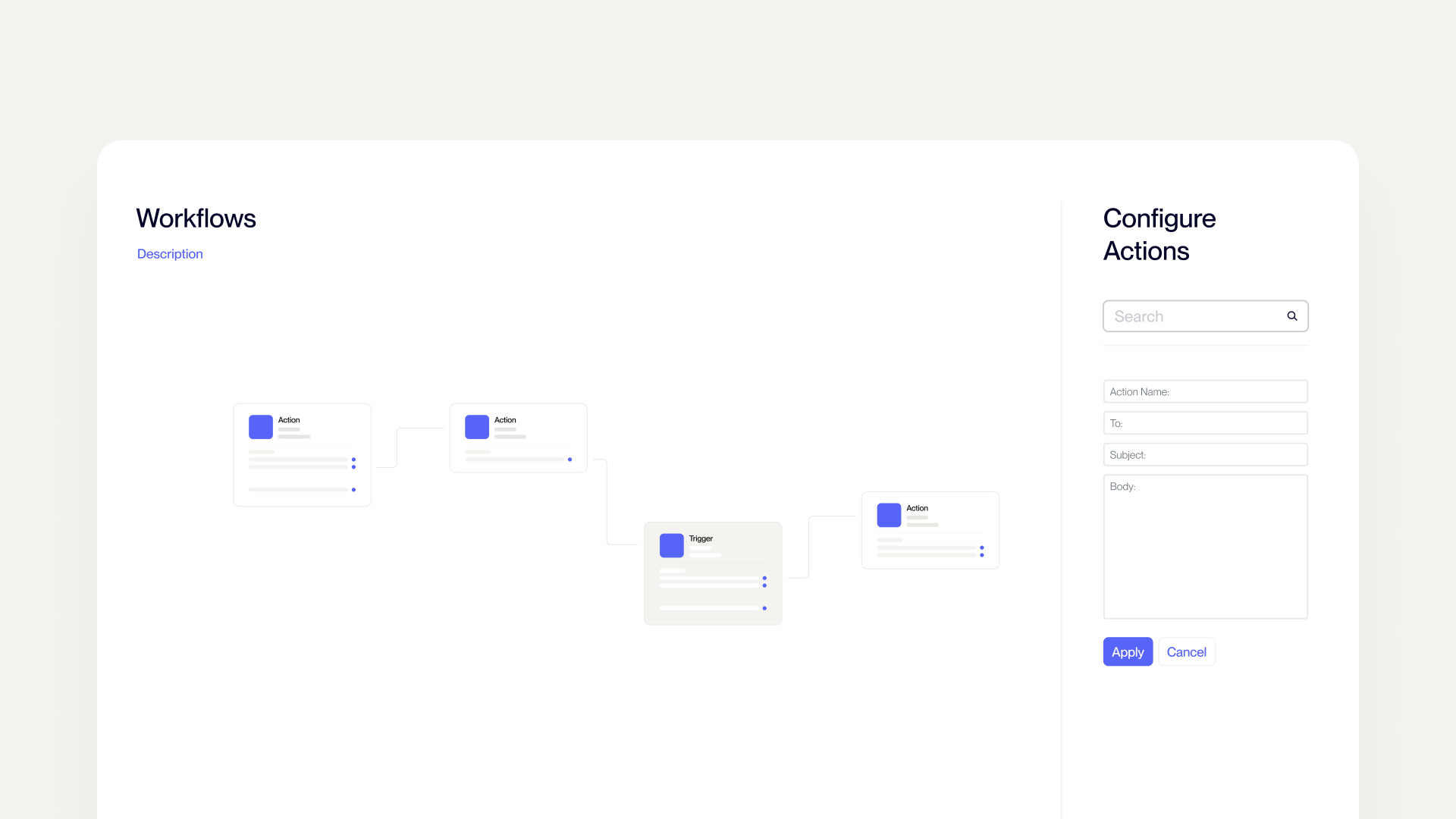
The workflow builder is a visual, canvas-based interface where you design your logic as a flowchart, connecting blocks for triggers, data retrieval, conditions, and actions in a way that's intuitive to configure, easy to test, and simple to adjust as your needs evolve.
You don't need to write code to automate a re-engagement campaign. You don't need IT support to set up a proactive alert for at-risk accounts. You just build the logic, test it, and publish.
Ready to see Workflows in action?
Ready to see Workflows in action?
Get in touch with your Sana Commerce contact to learn more.
What you can
automate with Workflows
Scheduled triggers
Set workflows to run at defined intervals, continuously monitoring your data without requiring manual checks or report pulls.
Rule-based conditions
Define If/Then logic that evaluates your data and routes the workflow based on whether specific criteria are met. Set thresholds, combine conditions, and build segmentation that reflects how your business actually operates.
Automated email notifications
When conditions are met, trigger emails automatically. Whether that's a re-engagement message to a lapsed buyer, an internal alert for your sales team, or a structured follow-up sequence.
External system integration
Send data beyond Sana via HTTP Post or export to tools like Google Sheets, connecting your ecommerce automation to the wider systems in your business.
For-Each loops
Iterate through datasets to apply logic and actions across multiple accounts or records in a single workflow run.
The business case for
automation
The value of Workflows isn't just operational efficiency; it compounds across the commercial outcomes that matter most.
Protect recurring revenue
Automated alerts and structured follow-ups mean at-risk accounts get flagged and contacted before they go quiet. Catching churn signals early is always more effective than recovering lost customers later.
Reduce time-to-action
Manual analysis introduces lag. When a workflow evaluates data and fires an action automatically, the gap between insight and response collapses from days to seconds.
Free your team for strategic work
Every routine monitoring task, manual segmentation exercise, and templated follow-up that gets automated is time returned to your team, time that can go toward initiatives that actually require human judgment.
Scale without adding headcount
As your customer base grows, the manual overhead of staying on top of every account grows with it. Workflows scales with your data, not with your team size.
Ready to see Workflows in action?
Ready to see Workflows in action?
Get in touch with your Sana Commerce contact to learn more.
Getting started
with Workflows
Workflows is accessible directly from Sana Admin. A set of ready-to-use templates for common B2B use cases are included, so you can get started without building from scratch.
- Open Sana Admin and navigate to Automation → Workflows to see your full list of available workflows.
- Choose your starting point — select an existing template to edit, or create a new workflow from scratch.
- Build your logic on the canvas by connecting blocks for your trigger, data retrieval, conditions, and actions into a flowchart.
- Test your workflow to validate that your logic runs as expected before going live.
- Publish when you're ready, and let Workflows run in the background from there.
Ecommerce that works
while you sleep
The best ecommerce operations don't wait for someone to notice a problem. They're built to respond, consistently, at scale, and at the right time.
Workflows gives you the infrastructure to do exactly that: turning the data your platform already generates into timely, relevant action, without the manual effort that typically stands in the way.
Ready to see Workflows in action?
Ready to see Workflows in action?
Get in touch with your Sana Commerce contact to learn more.