B2B promotions: Boost sales and delight customers with effortless discounts
Why B2B promotions matter (and where they often fail)
Planning a campaign is one thing; getting buyers to redeem it is another. Hidden code fields, unclear savings and rigid rule sets all chip away at conversion. Sana Commerce Cloud (SCC) fixes that with B2B Promotions—a discount engine built for complex, agreement‑driven pricing.
What’s new in B2B Promotions?
What’s new in B2B Promotions?

Build discounts fast: set minimum spend, item counts, or target customer segments. Why it matters: launch richer campaigns without ERP help.

Applies at checkout when conditions match—no code field needed. Why it matters: zero missed opportunities and higher conversion.

Discount predefined product sets; cap redemptions or add minimum‑purchase rules. Why it matters: perfect for clearing old stock or upselling a new line.

Apply product discounts to specific customer assortments. Why it matters: personalised promos without breaking contract pricing.

Create "Buy 1 Get 1", "Buy 2 Get 1 ‑50%" and more. Why it matters: drives basket size and cross‑sell.
*Coming H2 2025
Watch B2B Promotions in action
How buyers feel the difference
How buyers feel the difference

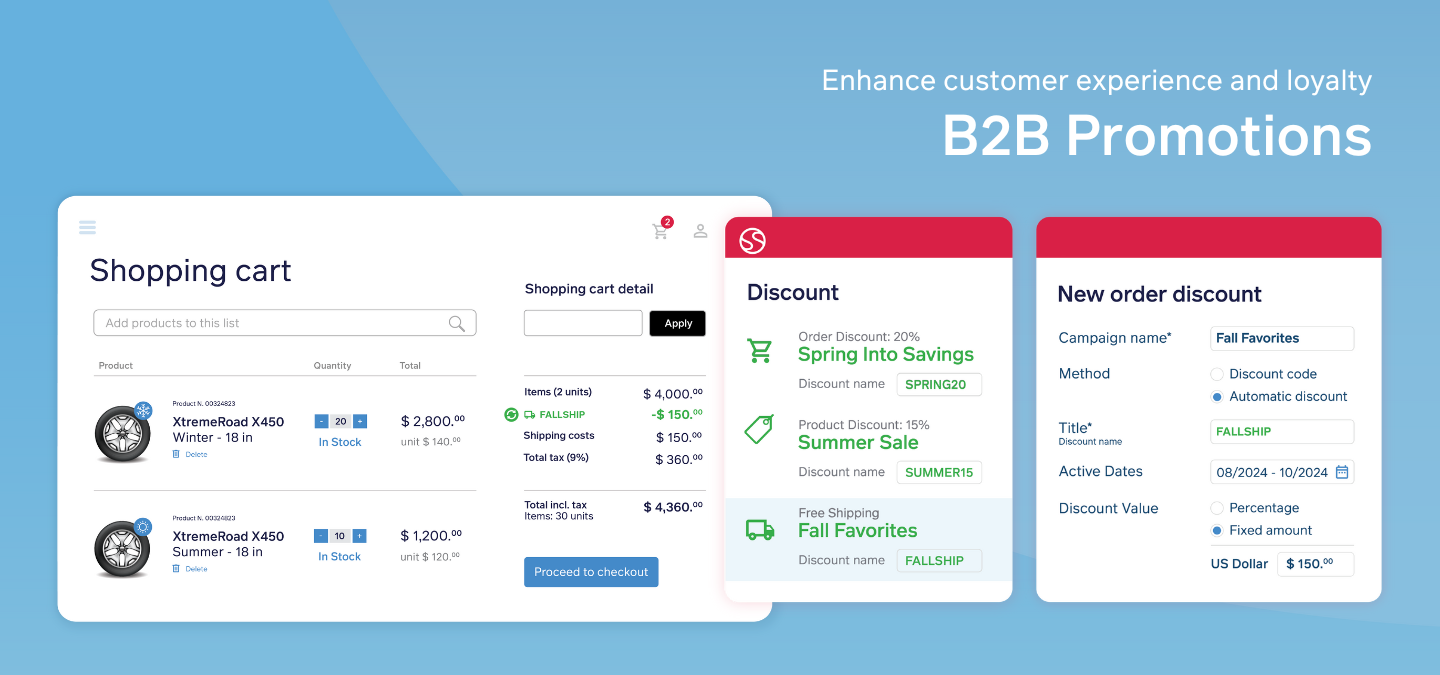
Automatic or code‑based, the deal is impossible to miss.

Discounts display in bright colors and larger fonts all the way to checkout.

Fewer steps, faster orders, happier procurement teams.

What sellers gain
- Higher conversion & lower abandonment — visible, auto‑applied incentives close the deal.
- Loyalty lift — targeted assortments + rule builder mean buyers feel valued.
- Less admin — no more ERP detours; marketing owns the promo workflow.
Applying B2B promotions in Sana Commerce Cloud: Your step-by-step guide
Ready to unleash the power of B2B Promotions on your web store? It's easier than you might think. Here's how to set it up and start creating those irresistible deals:
For web store managers:
- Navigate to discounts: In Sana Admin, head over to the "Sales" section and click on "Discounts." You'll find a revamped overview of all your promotions.
- Quick view: Want a closer look at a specific discount? Hover over the "advanced rules" icon to see a summary – no need to open a separate page.
- Create a new promotion: Click on "Create discount" to launch the new rule builder. You'll find the settings organized logically, making it a breeze to configure your promotion.
- Automatic or manual? Choose between a traditional discount code that customers enter manually or an automatic discount that applies when specific conditions are met.
- Name your discount: Give your promotion a catchy name so it's easy to identify.
For buyers:
- Fill your cart: Browse your web store and add the products you want to purchase.
- Head to checkout: When you're ready, navigate to the basket page.
- Apply a discount code (if applicable): If you have a discount code, simply enter it in the clearly marked field.
- Automatic discounts: If you're eligible for an automatic discount, it will be applied automatically. You'll see the discount name and the amount you're saving right in your basket summary.
Simple, right? With Sana Commerce Cloud's B2B Promotions, creating and applying discounts is a breeze, both for you and your customers.
Take your web store to the next level
If you're ready to ditch the headaches of manual discount management and start seeing real results, B2B Promotions is the answer. It's included in Pro and Advanced Sana Commerce Cloud packages, so there are no extra costs to worry about.
With B2B Promotions, you're not just offering discounts; you're creating a customer-centric experience that fosters loyalty and drives revenue.